

Website speed optimization is now inseparable from Core Web Vitals: LCP, INP, and CLS shape both user trust and how pages compete in search.
Measure field data in Search Console and lab data in Lighthouse or web.dev. Identify whether LCP is image/HTML late, INP is heavy JS, or CLS is unreserved media. Teams that treat website speed optimization as an operating system—not a one-off project—ship fewer surprises and learn faster from real usage.
Diagnose before website speed optimization work
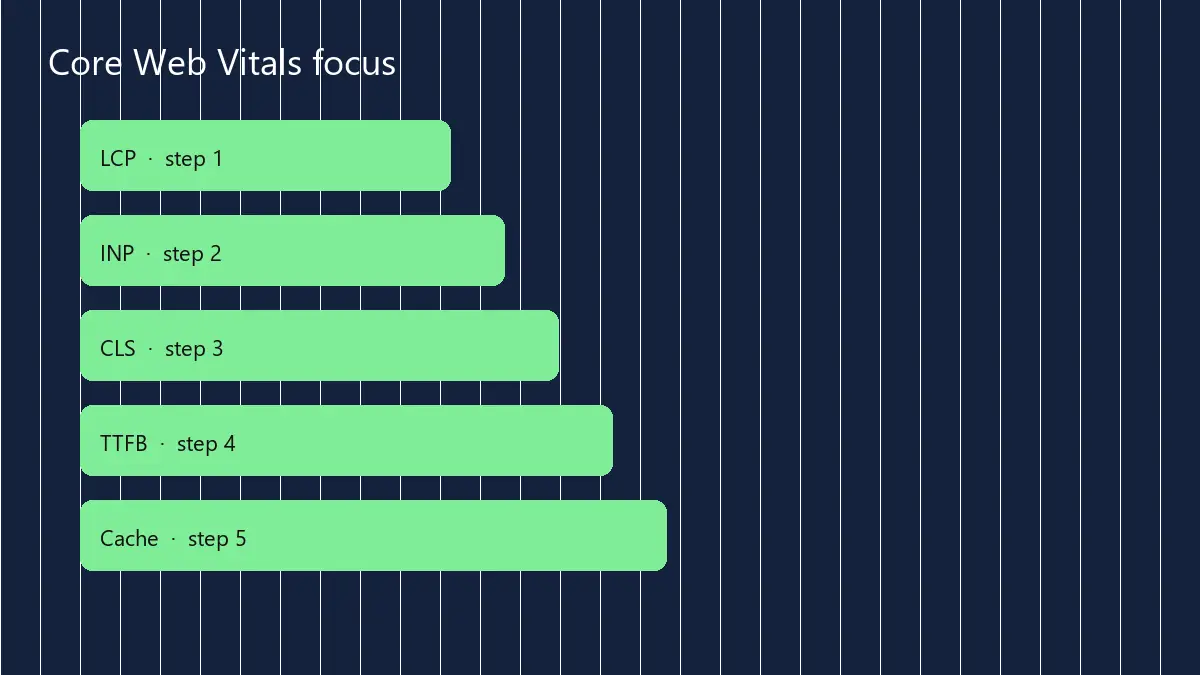
Compress and properly size images, defer non-critical JS, preload the LCP asset, use caching/CDN, and reduce third-party tags. Lazy-load embeds below the fold.
Write assumptions down, assign an owner, and decide what “done” means before tools get purchased. That discipline keeps website speed optimization aligned with revenue and service quality instead of slideware.
Fixes that move website speed optimization metrics
Set budgets in the build process: max JS weight, image policy, and no new blocking tags without review. Re-test after plugin or theme changes.
Use short feedback loops: weekly demos, a visible backlog, and a single scoreboard everyone trusts. If a metric cannot change a decision, drop it.
| Metric | Good target | Common fix |
|---|---|---|
| LCP | ≤ 2.5s | Optimize hero + server TTFB |
| INP | ≤ 200ms | Cut long tasks / JS |
| CLS | ≤ 0.1 | Reserve media space |
| TTFB | Low | Host + cache |
Governance so performance does not decay
Pair speed with security basics—HTTPS, lean plugins, monitored uptime—so fast pages stay trustworthy.
Publish a lightweight runbook covering owners, access, rollback steps, and review cadence. That is how website speed optimization survives holidays, staff changes, and busy seasons.
For reference reading see Core Web Vitals on web.dev. When you need execution support, explore Web development · CMS development · contact.
Write the operating metric before you buy tools—otherwise dashboards measure noise.
- Define the painful workflow and success metric
- Ship the smallest useful version
- Measure weekly and prune waste
- Document so the system survives staff changes
- Owner named for each critical workflow
- Baseline metrics captured before changes
- Security and access reviewed with the build
- Customer-facing copy matches what the system can deliver
Template-level website speed optimization playbook
Optimize the homepage and top landing templates first; that is where traffic and LCP pain concentrate.
Replace heavy carousels with static heroes when motion does not change conversion. Fewer layout shifts, faster paint. Practical website speed optimization often means subtracting UI.
Audit third-party tags quarterly. Marketing pixels accumulate like barnacles and punish INP on mobile.
Preconnect only to critical origins. Too many hints compete with the real LCP request.
Serve responsive images with accurate width/height to protect CLS. Fancy CSS that reflows late still hurts.
Test on a mid-tier Android profile, not only a developer laptop. Field users are not on your Wi-Fi. Real respects devices.
Keep a performance budget in the ticket template so new features declare expected weight before merge.
Implementation checklist you can run this month
Block ninety minutes on the calendar with the decision maker and the person who does the daily work. Map the current path on a whiteboard, circle the handoffs that fail, and pick one improvement that can ship in two weeks without a committee.
Assign a single owner, write the success metric in one sentence, and schedule a review date before anyone opens a tool catalog. If the metric does not move, change the approach—not the slide deck.
Publish a short internal note after each iteration: what changed, what broke, what customers noticed. That archive becomes training material and keeps website speed optimization knowledge from living in one person’s head.
Finally, align your public pages and sales conversations with what the system can truly deliver. Overpromising creates support debt that no marketing channel can fix.
Practical 30-day action plan
Week 1: write the outcome metric, inventory current tools, and list the top three failure points with examples from the last month. Keep the list visible to whoever owns delivery.
Week 2: ship the smallest change that removes one failure point—template fix, automation, script, or process rule. Avoid parallel initiatives that dilute attention.
Week 3: measure results against the baseline, interview two people who use the workflow daily, and document surprises. Adjust scope based on evidence, not preference.
Week 4: package what worked into a checklist, train a backup owner, and schedule the next review. Systems that depend on one hero fail during vacations.
If leadership asks for a bigger transformation mid-sprint, park it on a backlog with a cost note. Momentum comes from finished loops, not larger slide decks.
Share a one-page summary with stakeholders: metric moved, cost in hours, risks remaining, and the next bet. Clear writing protects budgets and trust.
Common mistakes to avoid
Do not buy tools before the workflow is written. Software cannot fix an undefined handoff.
Do not skip training and ownership. Unowned systems return to spreadsheets within a quarter.
Do not optimize vanity metrics. If a chart cannot change a weekly decision, it is decoration.
Do not launch without a rollback path. Fast recovery beats perfect first releases.
Do not hide constraints from stakeholders. Transparent scope builds longer client and leadership relationships than optimistic silence.
Keep a living changelog for stakeholders: what shipped, what is blocked, and what decision is needed next. Written status reduces meeting load and keeps momentum when people work across time zones.
When priorities collide, protect the metric you chose in week one. Adding three new initiatives mid-cycle usually resets learning to zero and trains the team that plans are optional.
Close the loop with a short retrospective: keep, drop, try next. Ten honest minutes beat another hour of status theater.
Frequently asked questions
Is a CDN enough?
Helps globally, but bloated themes and unoptimized heroes still fail LCP.
Should I remove all plugins?
Remove unused ones and replace heavy features; measure each change instead of guessing.
Do Core Web Vitals affect SEO?
They are part of page experience signals and strongly affect UX—treat them as product quality, not a trick.
How often should we retest?
After major releases and at least monthly for key templates.
Want help applying this in your business?