

AI automation for businesses should shrink repetitive work with guardrails—not drop an untested model into customer-facing decisions on day one.
Shadow a high-volume process for an afternoon. Prioritize tasks with clear inputs/outputs: intake routing, document drafting, support classification, reporting. Teams that treat AI automation for businesses as an operating system—not a one-off project—ship fewer surprises and learn faster from real usage.
Pick use cases where AI automation for businesses pays quickly
Combine workflow tools (Zapier, Make, n8n) with retrieval or LLM steps only where judgment is needed. Keep humans on exceptions and customer-critical sends.
Write assumptions down, assign an owner, and decide what “done” means before tools get purchased. That discipline keeps AI automation for businesses aligned with revenue and service quality instead of slideware.
Tool stacks for practical AI automation for businesses
Pilot on one team, log failures, measure time saved, and write a rollback plan. Prompt libraries and evaluation examples beat vibes-based shipping.
Use short feedback loops: weekly demos, a visible backlog, and a single scoreboard everyone trusts. If a metric cannot change a decision, drop it.
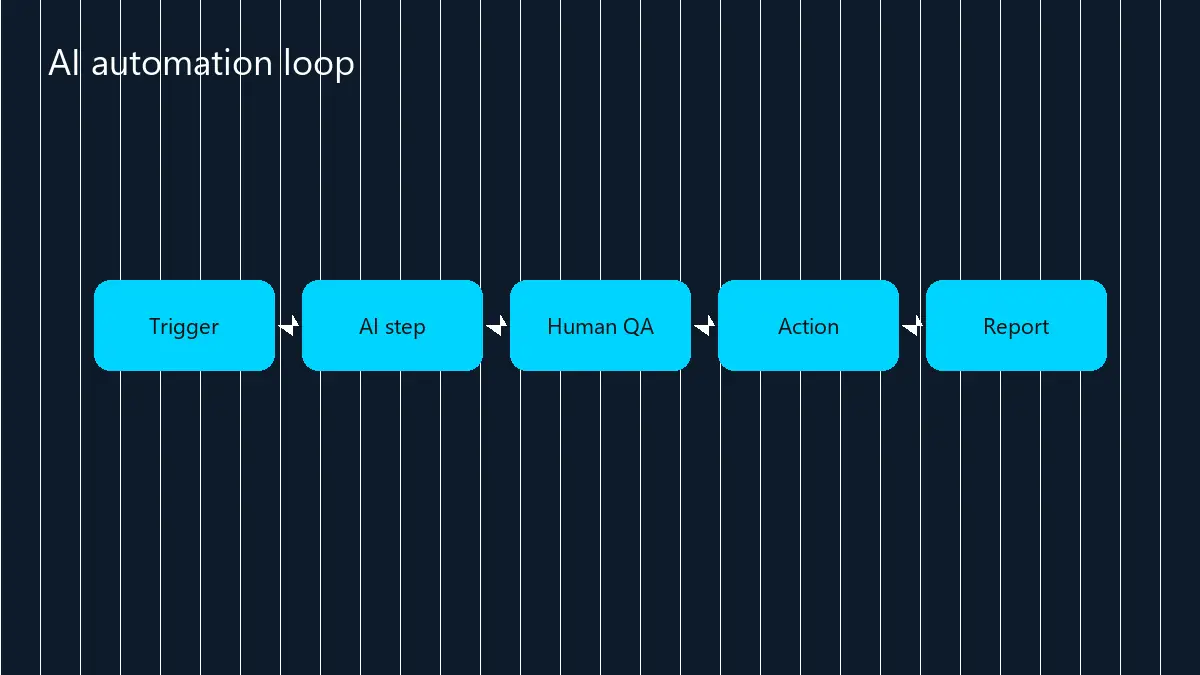
| Layer | Examples | Owner check |
|---|---|---|
| Trigger | Form, email, CRM | Noise filters |
| AI step | Summarize, classify | Eval set |
| Action | Ticket, draft, alert | Human gate |
| Report | Time saved | Monthly review |
Rollout, QA, and risk controls
Watch privacy, retention, and access. If a workflow touches personal data or money, require audit logs and explicit approvals.
Publish a lightweight runbook covering owners, access, rollback steps, and review cadence. That is how AI automation for businesses survives holidays, staff changes, and busy seasons.
For reference reading see NIST AI RMF. When you need execution support, explore AI & modern technology · Custom development · contact.
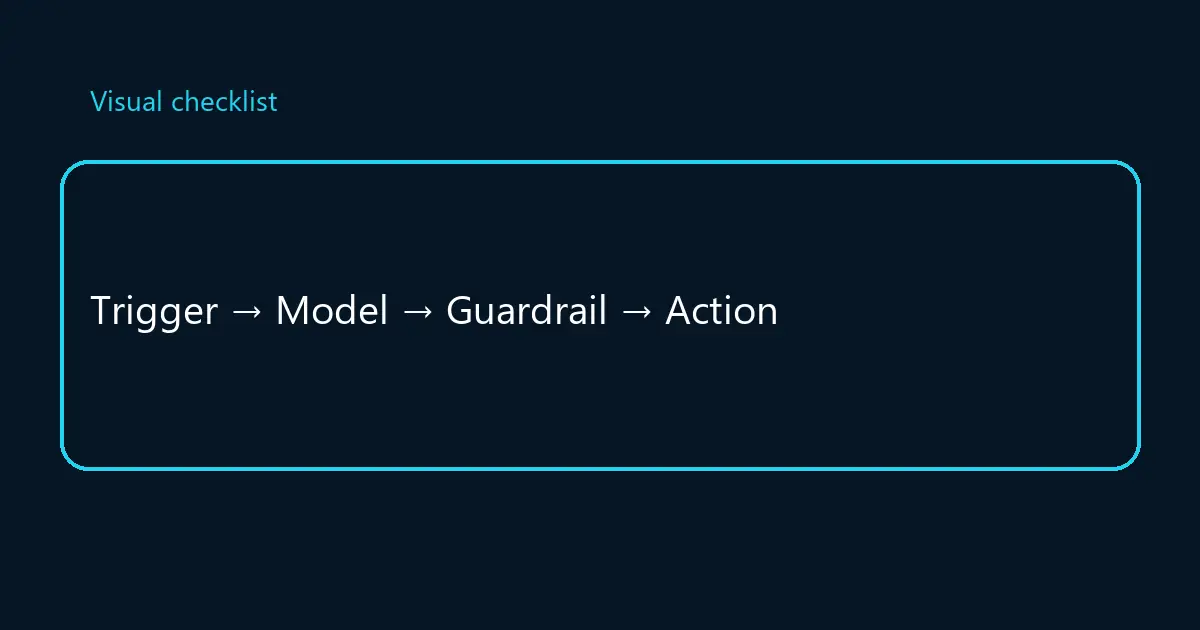
Write the operating metric before you buy tools—otherwise dashboards measure noise.
- Define the painful workflow and success metric
- Ship the smallest useful version
- Measure weekly and prune waste
- Document so the system survives staff changes
- Owner named for each critical workflow
- Baseline metrics captured before changes
- Security and access reviewed with the build
- Customer-facing copy matches what the system can deliver
Governance patterns for AI automation for businesses
Classify data before connecting tools. Public, internal, and restricted data should not share the same free-form prompt box.
Store prompts and versions like code. When outputs drift, you need to know what changed. Operational AI automation for businesses is versioned.
Define escalation: which outputs can auto-send, which need human approval, and who is on-call when a workflow fails.
Create golden examples for evaluation—ten good and ten bad outputs—so you are not arguing from vibes.
Prefer retrieval over stuffing giant context when knowledge changes often. Stale context creates confident mistakes.
Train staff on what the system cannot do. Over-trust is a risk vector in rollouts.
Schedule a monthly audit of connectors and tokens. Orphaned integrations are security debt.
Implementation checklist you can run this month
Block ninety minutes on the calendar with the decision maker and the person who does the daily work. Map the current path on a whiteboard, circle the handoffs that fail, and pick one improvement that can ship in two weeks without a committee.
Assign a single owner, write the success metric in one sentence, and schedule a review date before anyone opens a tool catalog. If the metric does not move, change the approach—not the slide deck.
Publish a short internal note after each iteration: what changed, what broke, what customers noticed. That archive becomes training material and keeps AI automation for businesses knowledge from living in one person’s head.
Finally, align your public pages and sales conversations with what the system can truly deliver. Overpromising creates support debt that no marketing channel can fix.
Practical 30-day action plan
Week 1: write the outcome metric, inventory current tools, and list the top three failure points with examples from the last month. Keep the list visible to whoever owns delivery.
Week 2: ship the smallest change that removes one failure point—template fix, automation, script, or process rule. Avoid parallel initiatives that dilute attention.
Week 3: measure results against the baseline, interview two people who use the workflow daily, and document surprises. Adjust scope based on evidence, not preference.
Week 4: package what worked into a checklist, train a backup owner, and schedule the next review. Systems that depend on one hero fail during vacations.
If leadership asks for a bigger transformation mid-sprint, park it on a backlog with a cost note. Momentum comes from finished loops, not larger slide decks.
Share a one-page summary with stakeholders: metric moved, cost in hours, risks remaining, and the next bet. Clear writing protects budgets and trust.
Common mistakes to avoid
Do not buy tools before the workflow is written. Software cannot fix an undefined handoff.
Do not skip training and ownership. Unowned systems return to spreadsheets within a quarter.
Do not optimize vanity metrics. If a chart cannot change a weekly decision, it is decoration.
Do not launch without a rollback path. Fast recovery beats perfect first releases.
Do not hide constraints from stakeholders. Transparent scope builds longer client and leadership relationships than optimistic silence.
Keep a living changelog for stakeholders: what shipped, what is blocked, and what decision is needed next. Written status reduces meeting load and keeps momentum when people work across time zones.
When priorities collide, protect the metric you chose in week one. Adding three new initiatives mid-cycle usually resets learning to zero and trains the team that plans are optional.
Close the loop with a short retrospective: keep, drop, try next. Ten honest minutes beat another hour of status theater.
Frequently asked questions
Where should we start?
One repetitive internal workflow with measurable volume—not a full chatbot for every customer question.
Zapier or custom code?
Use no-code for glue; custom code when volume, compliance, or complex logic outgrows connectors.
How do we prove ROI?
Baseline minutes per task, error rate, and cycle time for two weeks, then compare after automation.
Is public ChatGPT enough?
Great for drafts; production needs access control, logging, and grounded data sources.
Want help applying this in your business?
AI & modern technology · Custom development · Start a conversation.